How to Operate Real-Time Translation Subtitles at International Events with Just One Laptop
TL;DR
The simplest way to operate real-time translation subtitles at international events is to use a web-based AI interpretation platform that can simultaneously display multilingual subtitles on the event screen and attendees’ mobile devices with just one laptop.
Without the need for a dedicated interpretation booth, receiver devices, or complex broadcasting software, organizers can easily create a multilingual environment for offline international conferences and global events.
Why Is Operating Translation Subtitles at International Events Challenging?
International conferences and global seminars require organizers to manage multiple elements simultaneously:
Displaying presentation slides (PPT) while monitoring real-time subtitles
Providing multilingual translations
Allowing attendees to access subtitles on their mobile devices
Managing audio input from the venue
Traditionally, operating real-time subtitles required receiver devices, professional captioning engineers, and complex technical setups, which significantly increased preparation time and operational costs.
3 Ways to Operate Real-Time Translation Subtitles at International Events
Method | Features | Limitations |
Web-based AI interpretation platform | Quick setup, mobile accessibility, multilingual support | Requires a stable internet connection |
Professional broadcasting/caption software (e.g., OBS) | High customization options | Requires complex setup and technical operators |
Built-in features of video conferencing platforms (Zoom, Google Meet, etc.) | Suitable for simple online meetings | Limited for offline event screen displays and venue operations |
For large-scale offline international events, the most important factors are minimizing setup time, reducing operational costs, and ensuring stable event management. As a result, web-based AI interpretation solutions are increasingly being adopted.
How to Operate International Event Subtitles with One Laptop: 3 Steps
Step 1. Create a Real-Time Translation Session and Conduct a Rehearsal
EventCAT is a web-based AI real-time interpretation and subtitle platform that runs directly through a browser.
When creating a session, organizers can enter:
Event name
Event schedule
Spoken language (presentation language)
Subtitle languages to provide
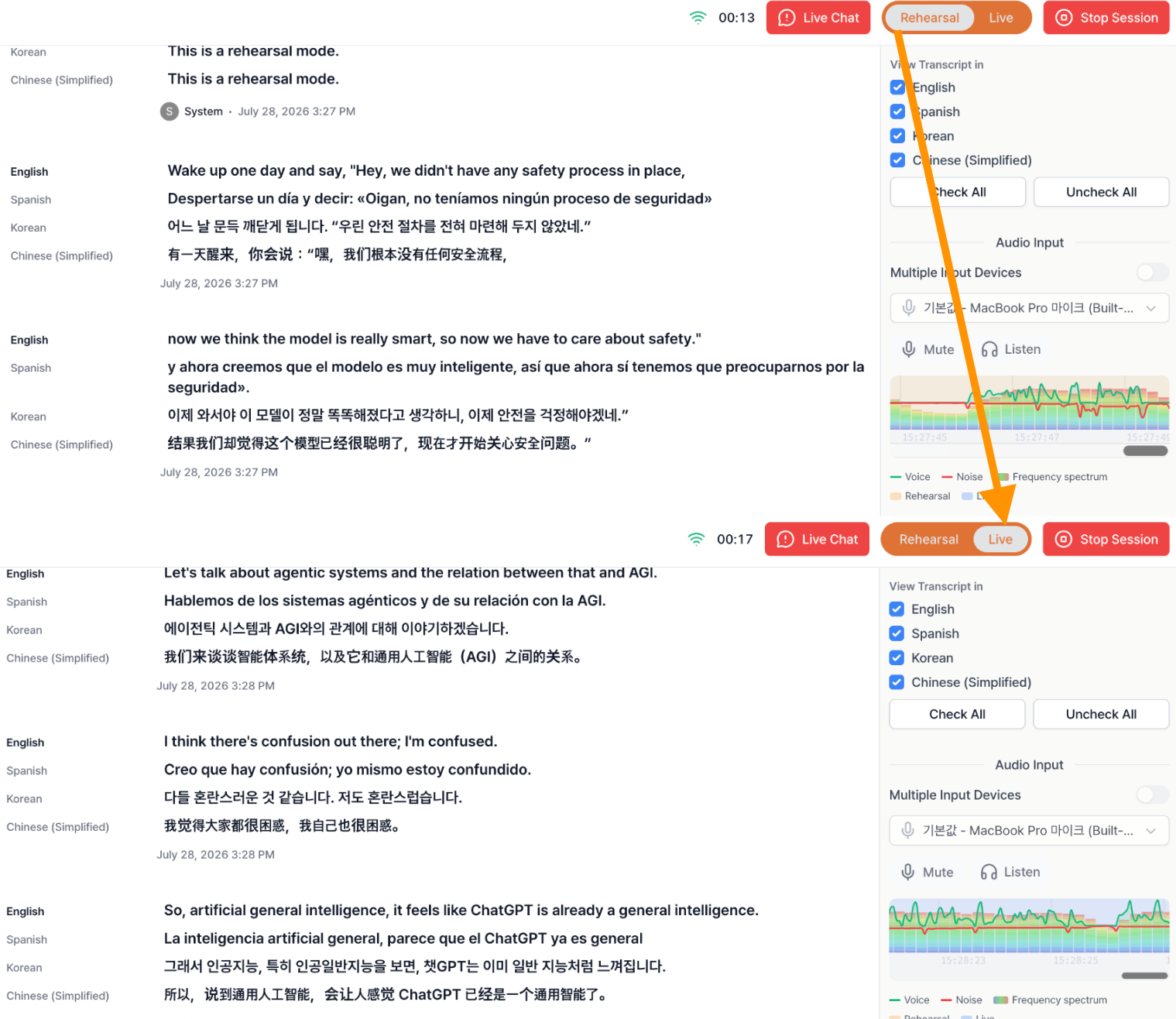
Before the event, organizers can use rehearsal mode to test actual microphone input and subtitle output, reducing potential issues during the live session.
Step 2. Switch to Live Mode and Display Subtitles on the Event Screen
After completing the rehearsal, organizers can switch to live mode.
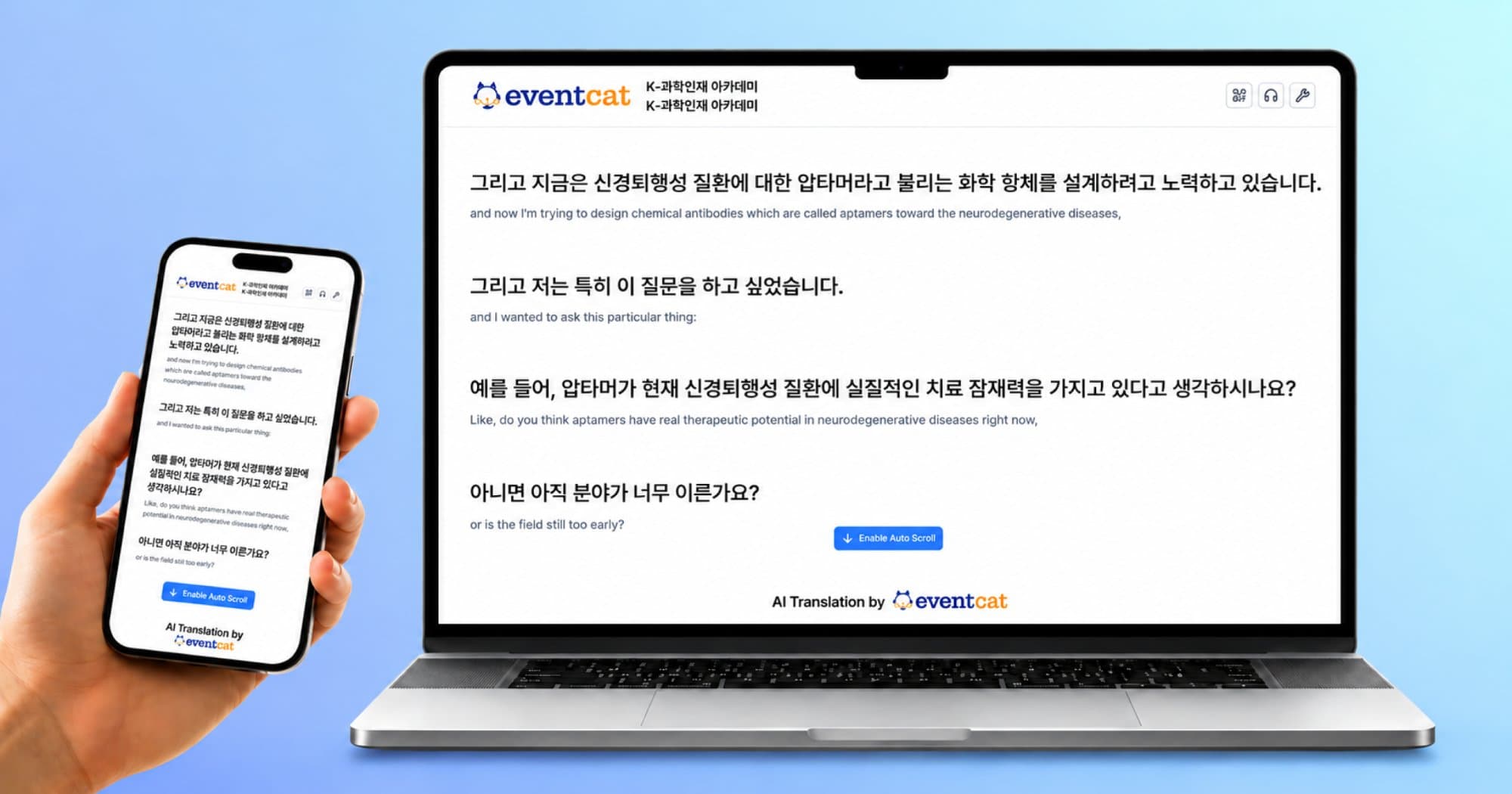
The confirmed subtitle layout remains unchanged, allowing real-time subtitles to be displayed directly on the event screen without additional OBS configuration.
Q. Can presentation slides and subtitles be displayed simultaneously on the event screen?
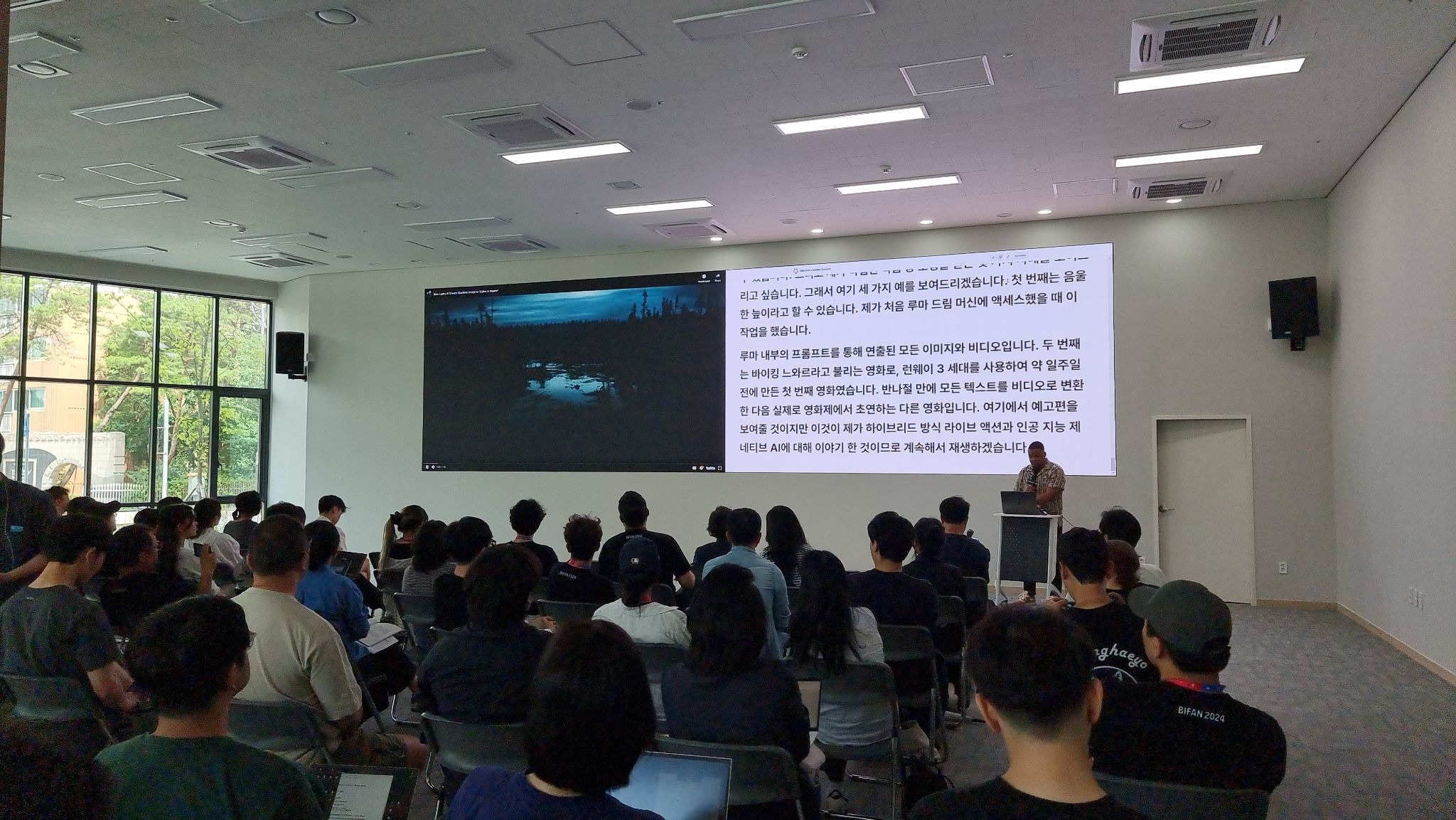
Yes. EventCAT subtitle pages can be adjusted according to the venue environment by using a separate monitor or adjusting the display layout, allowing presentation slides and real-time translation subtitles to be displayed together.
Using dual displays
Connect a laptop with an external monitor or projector
Use screen split functions
Windows
Win + ← / →
Snap Layout feature
macOS
Split View feature
Step 3. Connect Attendees via QR Code
When creating a session, EventCAT automatically generates a QR code and URL link.
Attendees can:
Access subtitles without installing an app
Join directly through a smartphone browser
Select their preferred language
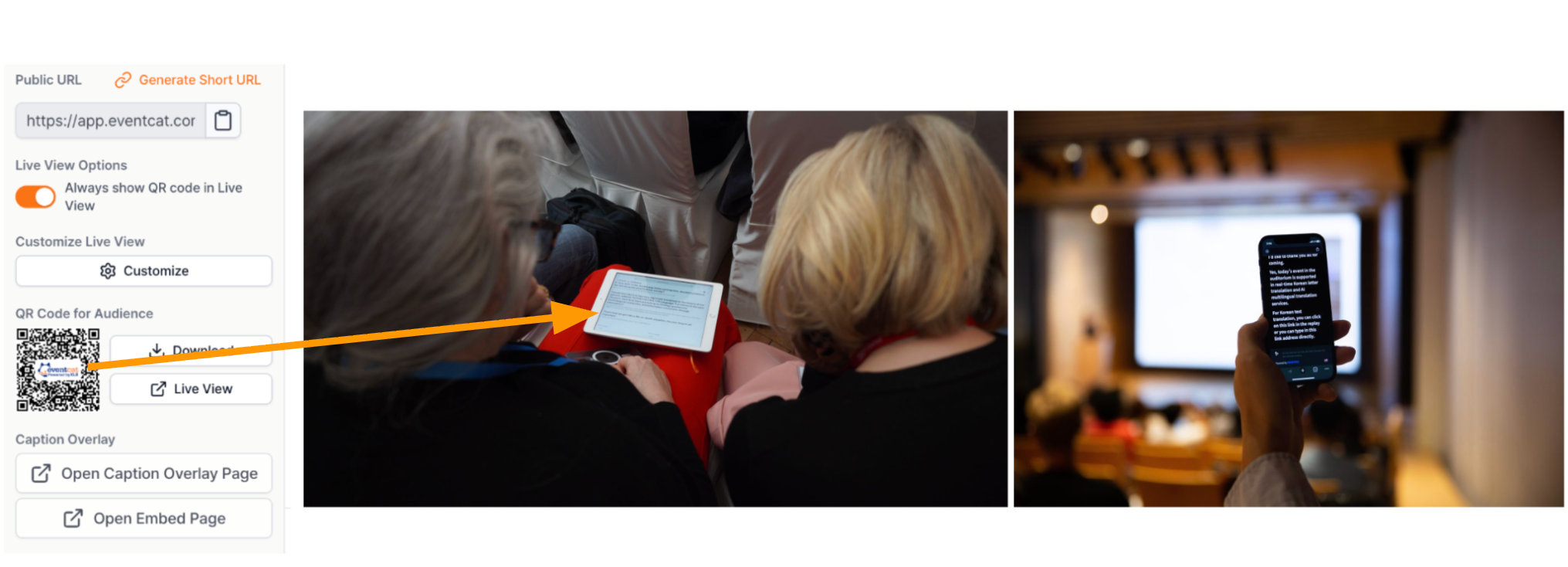
EventCAT supports more than 50 languages, allowing international participants to follow the same presentation in their preferred language during multilingual events.
How Was Real-Time AI Translation Subtitles Operated at an Actual International Event?
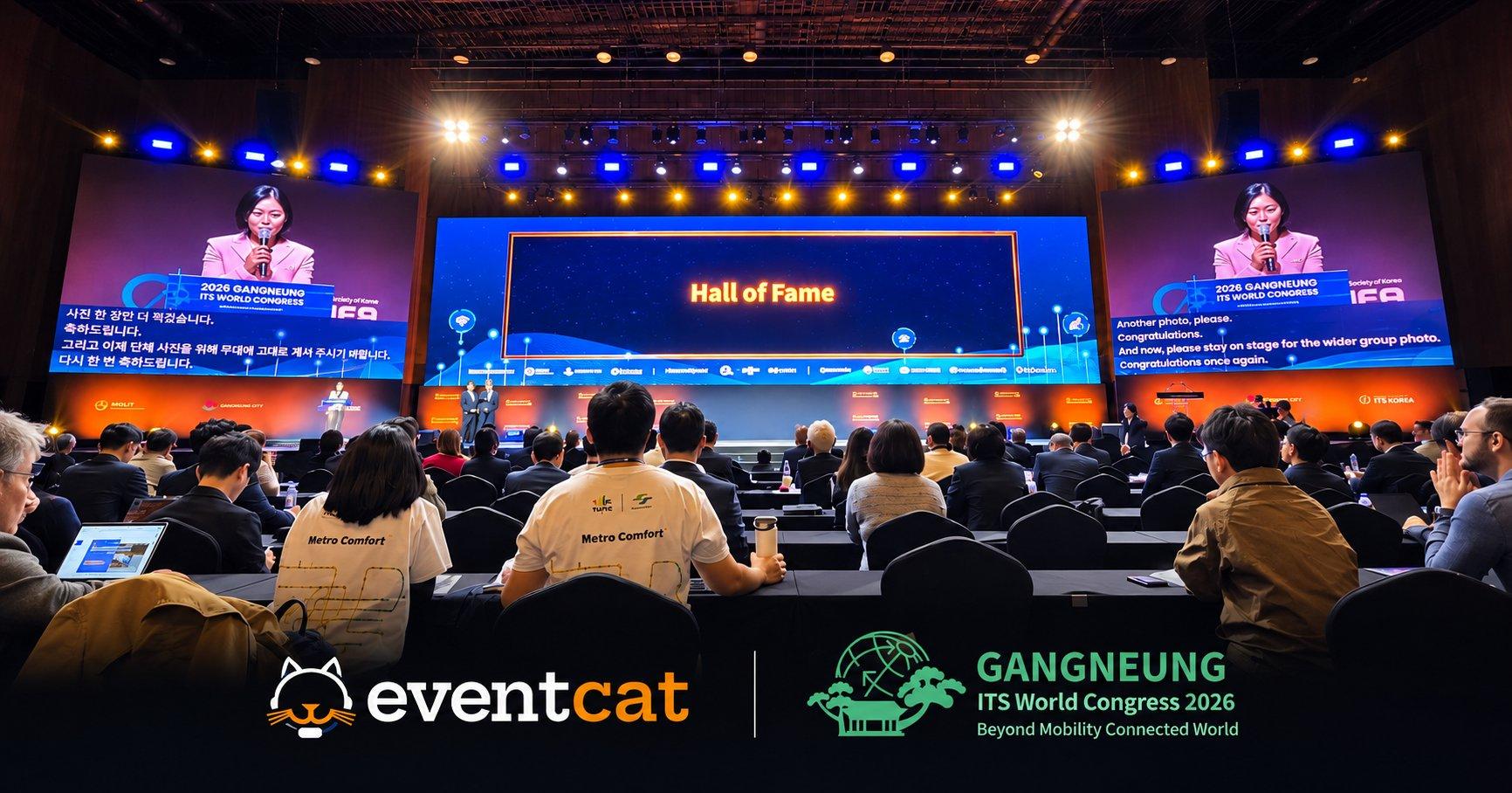
At COMEUP 2025, a global startup festival with participants from 46 countries, EventCAT’s real-time multilingual subtitle environment was used for actual event operations.
A QR code was displayed on the bottom-right corner of the main event screen, allowing attendees to scan it with their smartphones and instantly access the real-time subtitle page.
By operating the event without additional interpretation equipment, organizers improved operational efficiency while enabling participants from different countries to better understand presentations through a multilingual communication environment.
Frequently Asked Questions (FAQ)
What is required to display real-time translation subtitles at an international event?
When using a web-based AI interpretation platform, organizers typically need:
One laptop
An audio input cable (XLR) for capturing speech
A stable network connection
With these basic requirements, real-time subtitle operations can be set up quickly.
Do attendees need to install an app?
No. Attendees can simply scan the QR code and access subtitles through their web browser without installing any additional application.
Can PPT slides and subtitles be displayed simultaneously?
Yes. By using Windows screen split functions or macOS Split View, organizers can display presentation materials and real-time subtitles together.
Can it be used for hybrid events with both online and offline participants?
Yes. EventCAT Online Meeting integrates with platforms such as Zoom, Google Meet, and Microsoft Teams to generate real-time translated subtitles.
The subtitle screen can then be displayed at the venue, enabling AI-powered multilingual communication for hybrid events where online and offline participants join simultaneously.
Need Real-Time Translation Subtitles for Your International Event?
The optimal setup for real-time AI translation subtitles depends on factors such as event size, number of participating countries, and supported languages.
If you need guidance on setting up real-time AI translation subtitles for international conferences, academic conferences, exhibitions, or global seminars, contact the EventCAT team.
Contact email: contact@eventcat.com