
Connecting venue sound
Connecting venue sound
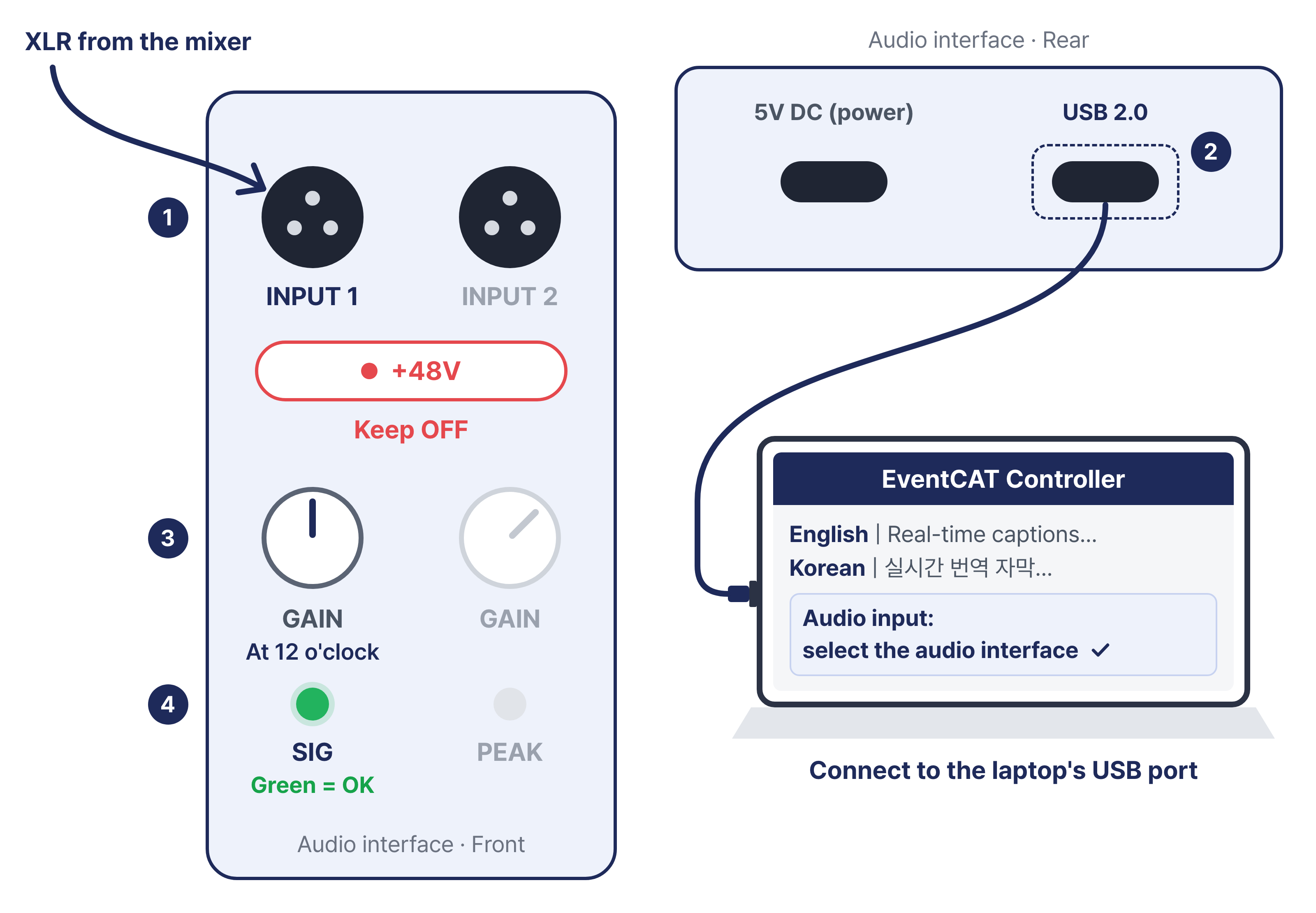
Mixer → XLR → Audio interface → USB → Laptop → EventCAT
- Connect the XLR cable from the AV team to input 1 on the audio interface. It should carry a single mix of the mics and video sound.
- Connect the audio interface to the laptop via USB.
- Set the Gain knob to 12 o'clock and keep 48V phantom power OFF.
- If the Signal LED is green, sound is coming in properly.
Warning Always ask for BGM to be left out. If background music is included, song lyrics get translated too.