
Yes! While hosting your live event, such as a conference or seminar, using EventCAT, you can customize how many lines of captions appear on the screen. This feature is available with an All-Day MAX Pass.
To adjust the number of caption lines, follow these steps:
1. Go to the Live View page of your EventCAT Conference
2. In the top-right corner, click Settings.
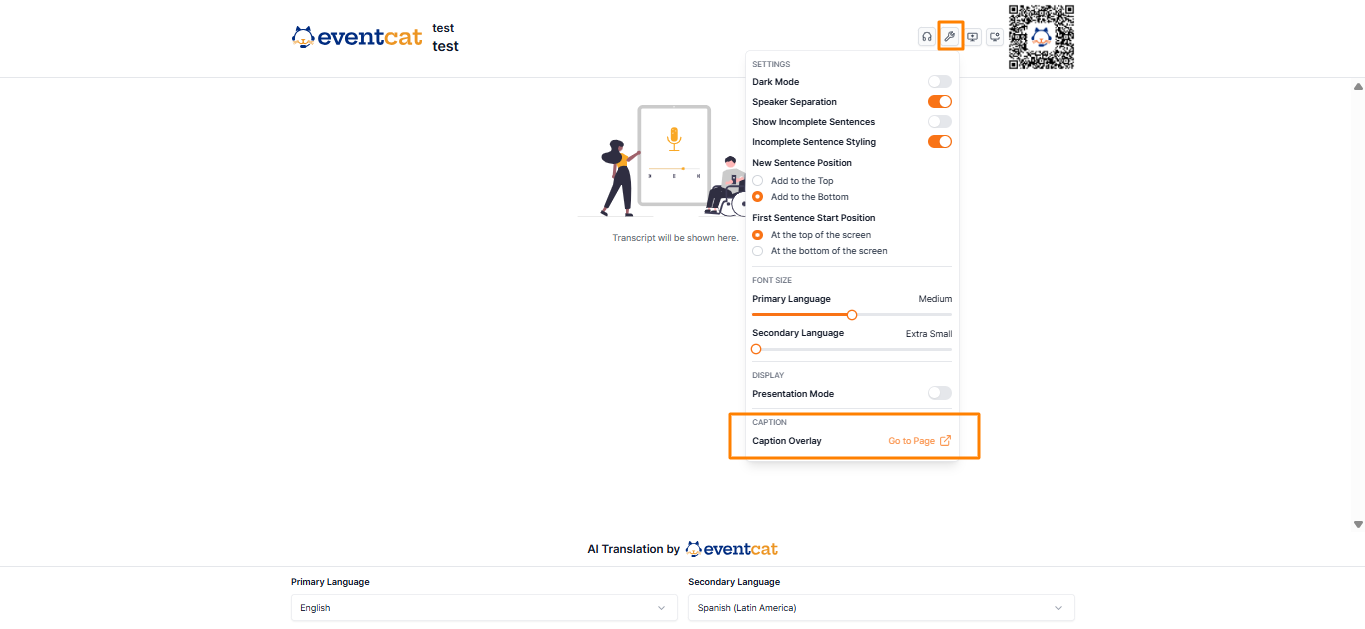
3. Select Caption Overlay from the menu.
4. Click Settings in the top-right corner
5. Click Number of Lines.
6. Choose the number of lines to display: 2, 3, or 4
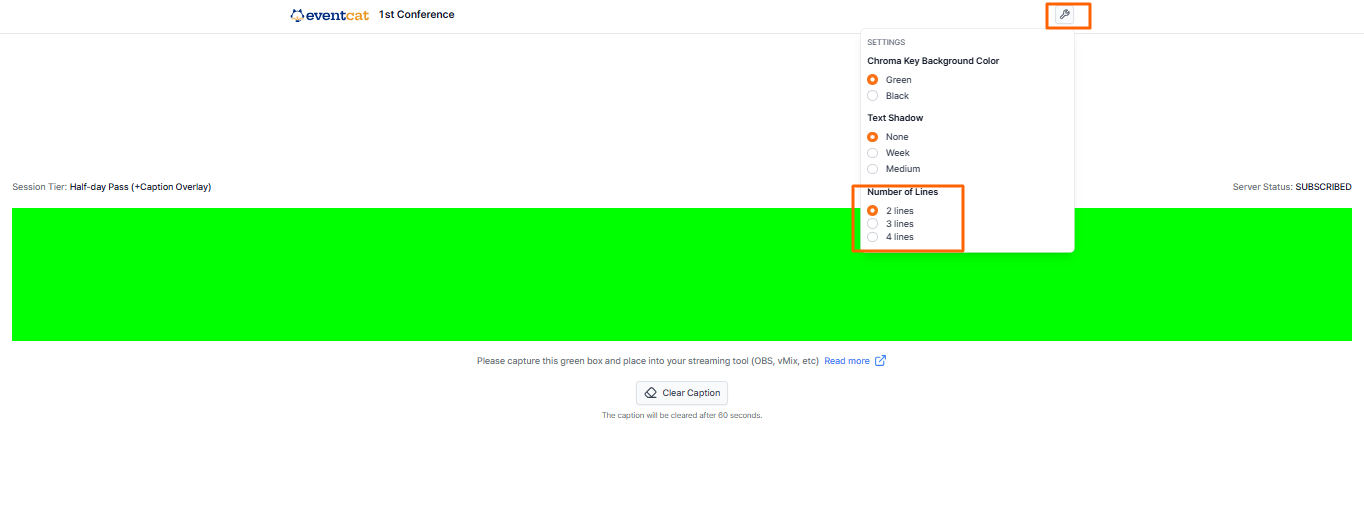
Your changes will take effect instantly, so you can quickly see which display works best for your meeting, seminar, or webinar setup