
EventCAT allows up to two languages (main language + secondary language) to be displayed on the screen at the same time with real-time subtitles. To enhance readability and audience focus, a maximum of two languages is shown on a single screen.
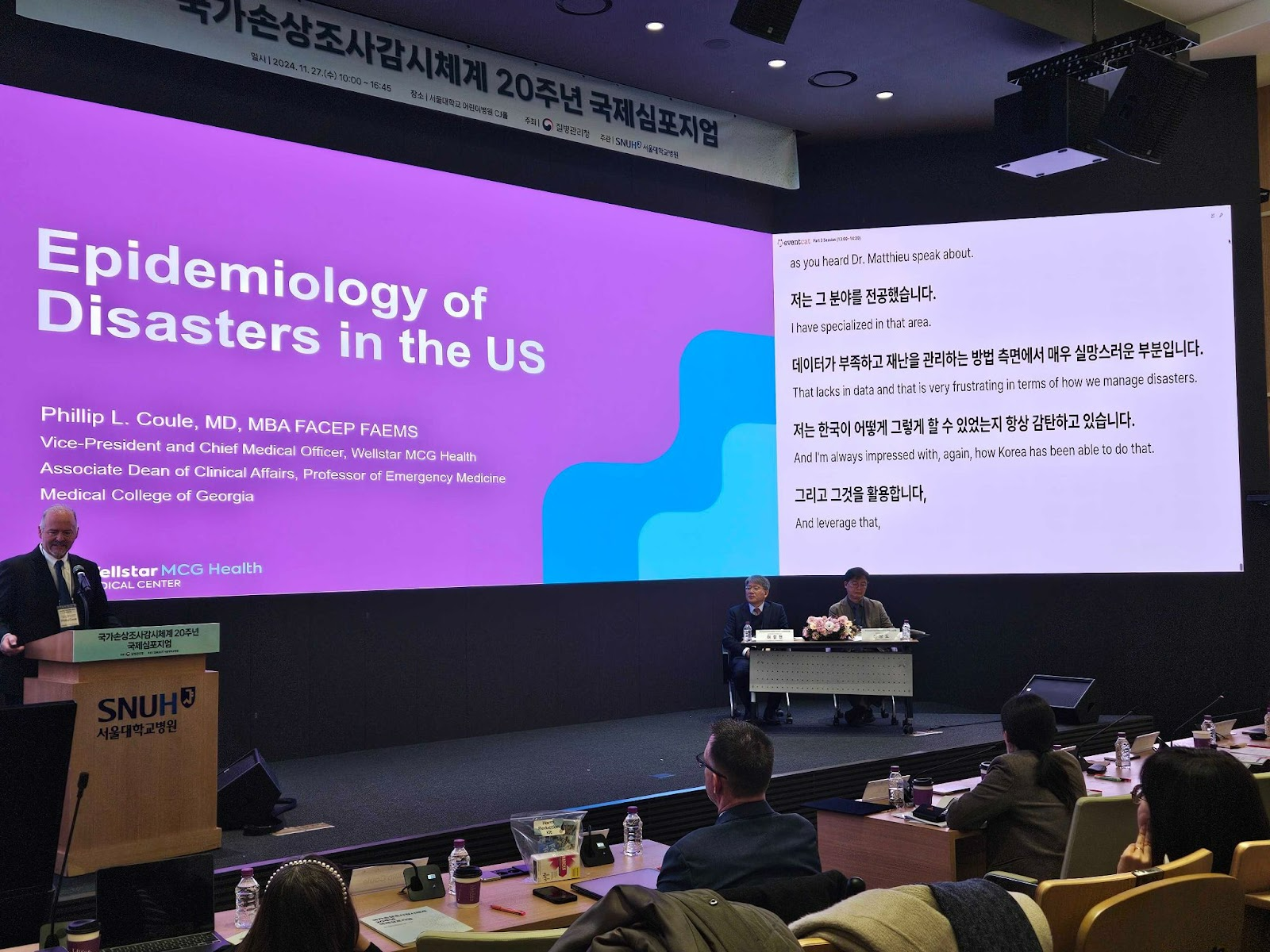
20th Anniversary International Symposium on the National Injury Surveillance System, Seoul National University Children’s Hospital
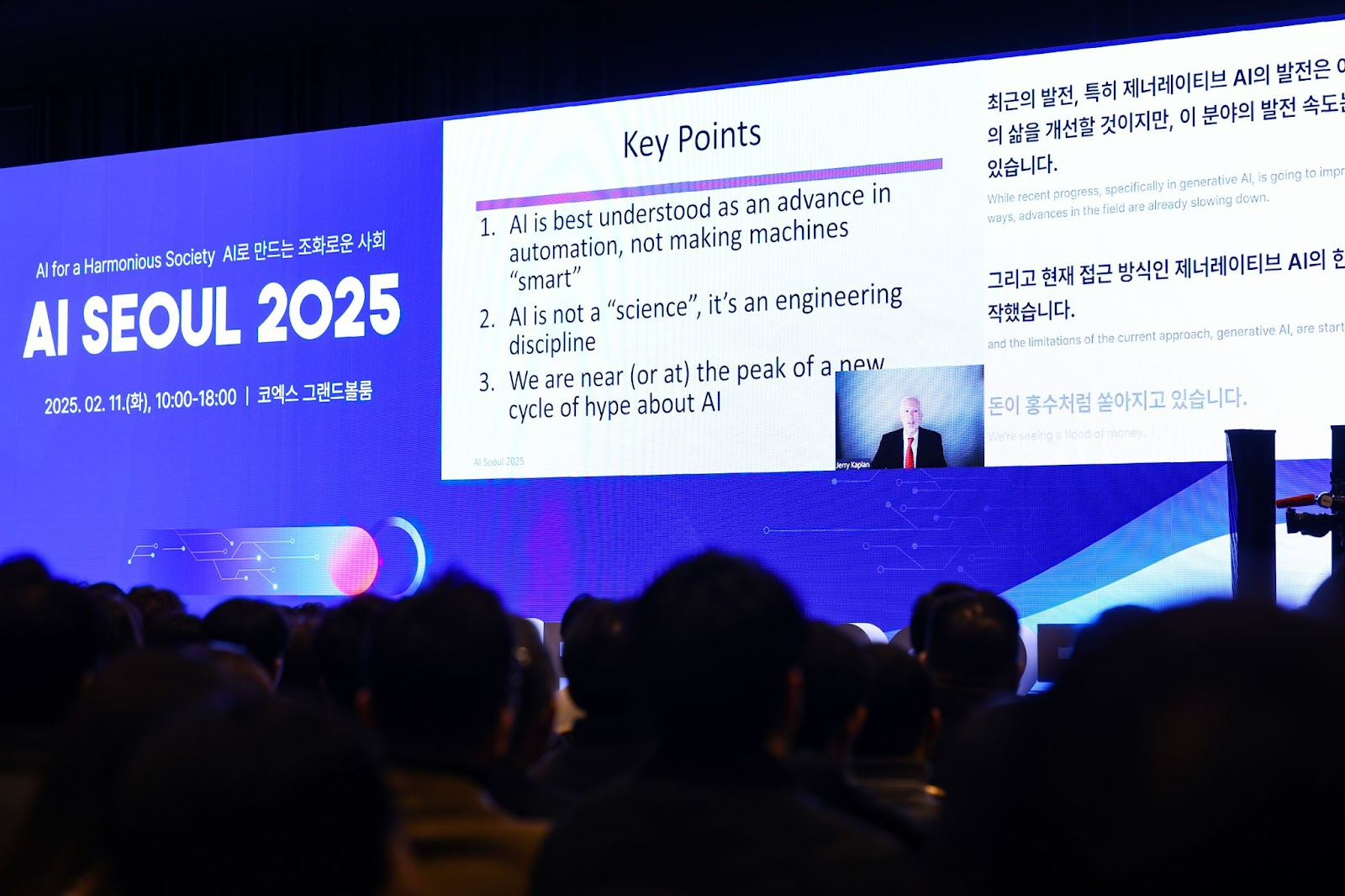
AI SEOUL 2025, COEX, Seoul
Example: English (speaker’s language) + Korean (translated subtitle)
Or: English + Korean, French + Chinese — any combination can be configured.
Want to display multiple subtitle languages at once?
A single session can have up to 8 subtitle languages. If you need to show three or more, try one of these:
Split across screens: Open the Live View in several browser tabs, choose a different language pair in each tab, and show a different tab on each screen. For the setup, see Laptop and screen layout.
Personal devices: Attendees who join via QR code or link can each choose the language they want.
If you wish to show subtitles in three or more languages simultaneously on one screen, we can support this through a Customized Plan tailored to your event's purpose and technical setup.
Display real-time subtitles in 3 or more languages at the same time
Customize subtitle position, number of lines, and spacing
Use advanced features such as language-separated screens
- For detailed consultation or to request an online demo, please contact contact@eventcat.com. We’ll provide case studies of customized events and a demo of our real-time translation subtitle features.
Events that used EventCAT’s real-time translation subtitles:
AI × Global Health Cooperation Seminar at the National Assembly
Busan International Artificial Intelligence Film Festival (BIAIF)
Korean Society of Trauma and Critical Care Medicine
Asia Pacific Conference on Disaster Medicine (APCDM 2024)
Gachon University Startup College (GSCS)
High Output Club – Lecture by former Meta PM & ‘Retro’ app founder Nathan Sharp
Related Articles: