
Improve translation quality
These are rules the AI follows when it polishes subtitles. A glossary says "translate this word this way"; the guide says "in this situation, do this."
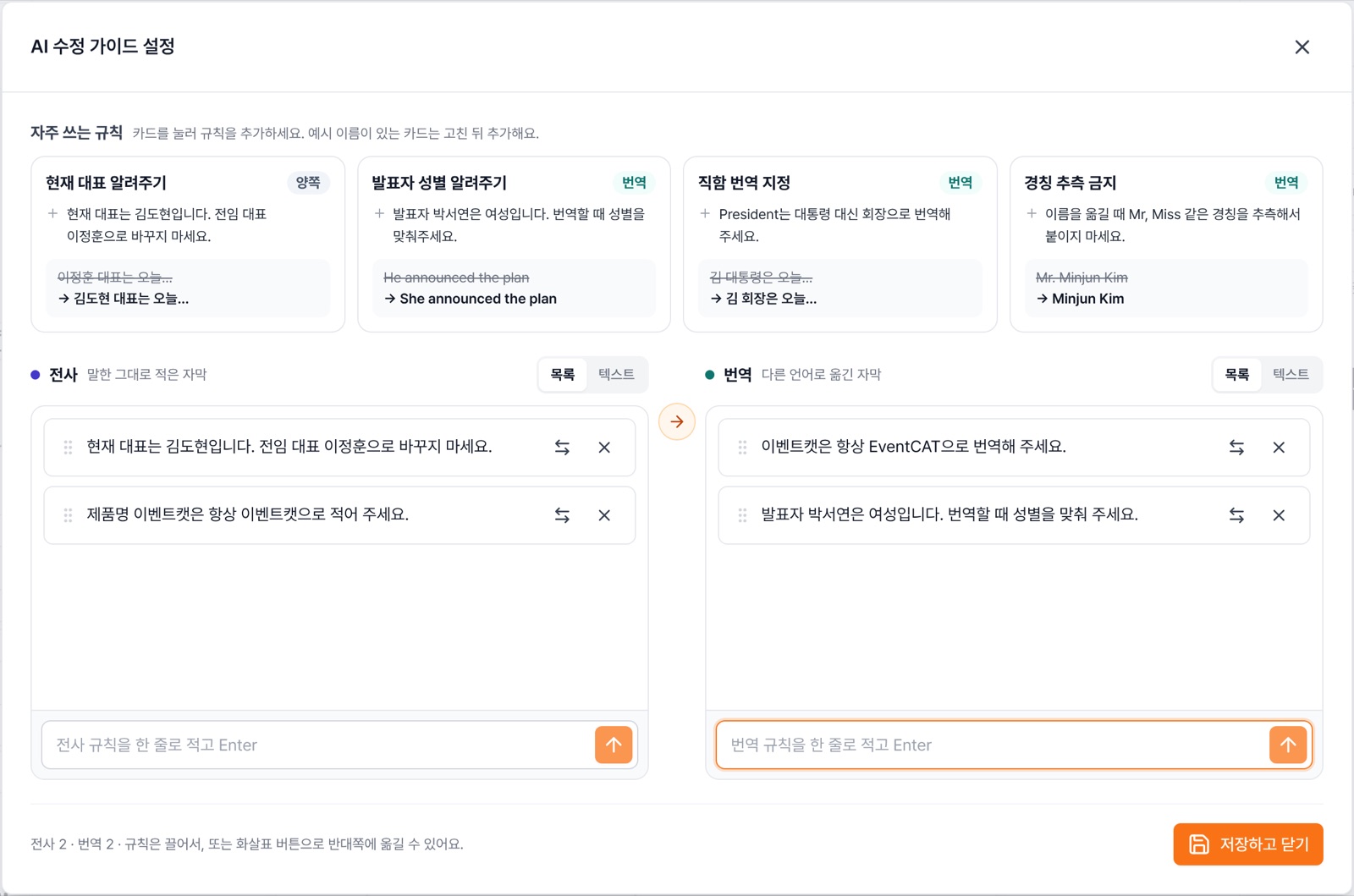
- Click AI correction guide settings at the bottom of the controller's left panel.
- Click a Common rules card (current CEO, speaker gender, title translation, no guessing honorifics), change the example names to fit your event, then add it.
- To write your own, type one rule per line in the Transcription box (subtitles exactly as spoken) or the Translation box (subtitles in other languages), and press Enter.
- Click Save and close. Changes made during a live session apply from the next sentence, after a short delay.
Tip Keep rules short and specific. Each box holds up to 15 rules, and each rule can be up to 200 characters. The more rules you add, the slower subtitles may appear.
You can edit the guide with a paid pass (Pass or Prepaid Pro). The translation rules box is Experimental. To use it, contact us.