
CASE 4 · Online broadcasts and streaming
CASE 4 · Online broadcasts and streaming
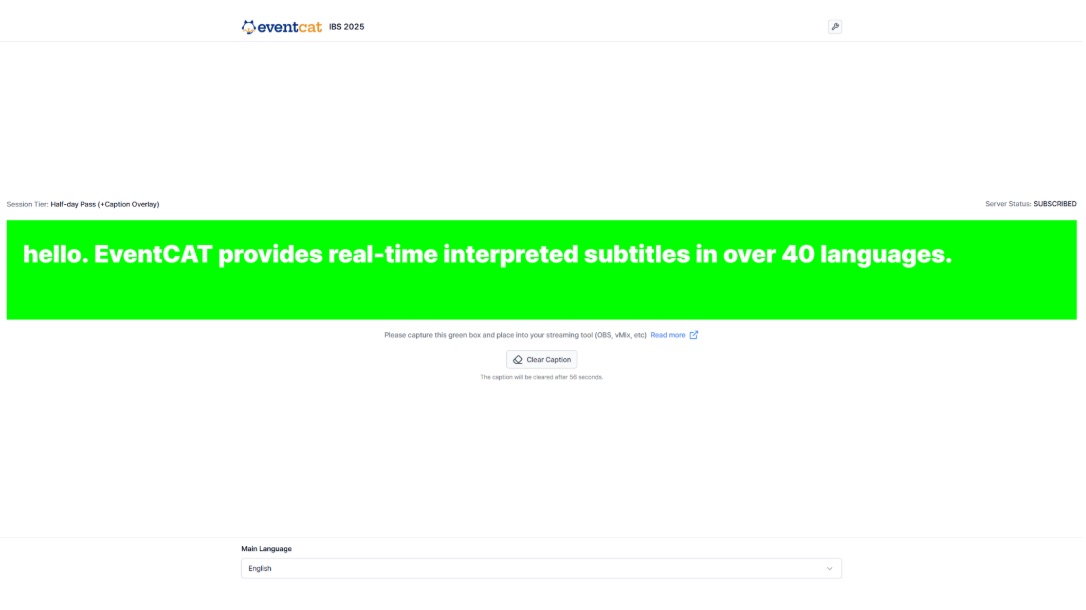
If you need to send subtitles over the video in an online streaming setup such as YouTube, OBS or Zoom, use the Caption Overlay.
- In the controller, click Open subtitle overlay page.
- Capture the green box area on screen and add it as a source in your streaming tool, such as OBS or vMix.
- Choose the display language at the bottom. Subtitles clear automatically after a while, and you can clear them immediately with Clear Caption.
Note Caption overlay is included with the All-day MAX pass.